
Get
Assistance
Get
Assistance
BI Tools & Reports
Our reporting feature provides comprehensive real-time reporting and fully
customizable dashboards, giving you deep insights into user behavior, campaign
performance, and revenue trends.
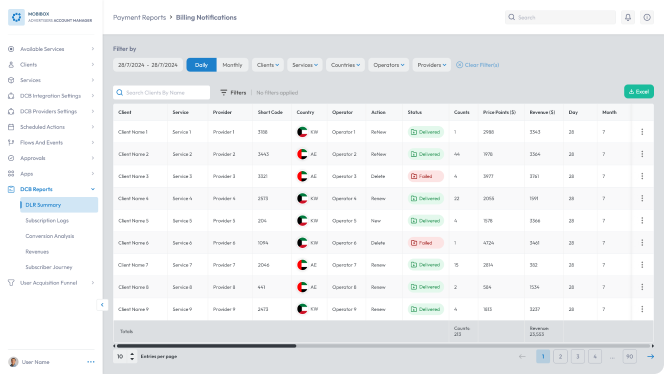
Instantly see if your service messages are reaching
users. This report details Delivery Receipt Counts for
each country and operator, helping you optimize
user acquisition and billing notifications.
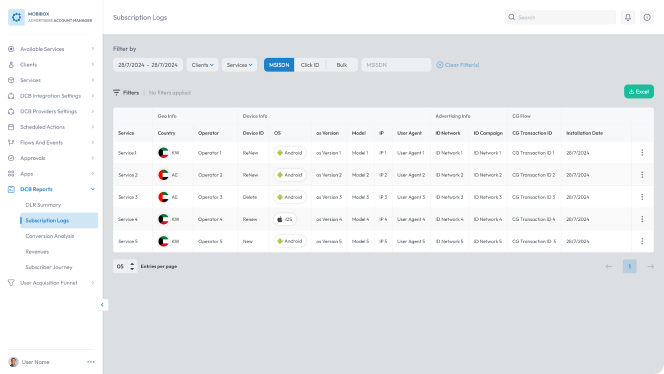
Uncover every detail behind your subscriptions. This
log captures device information, IP addresses, and
subscription dates, allowing you to analyze user
behavior and identify any subscription issues.
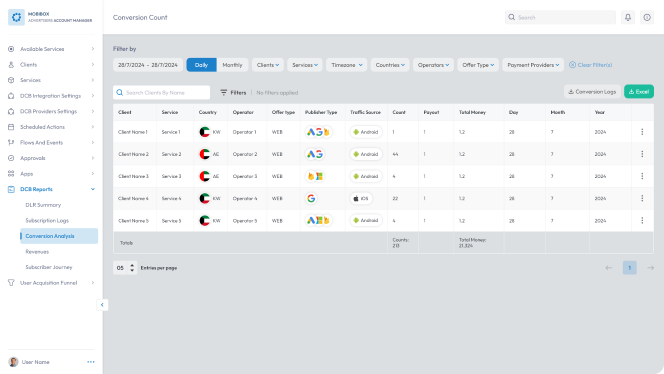
Discover what converts best! This report reveals
conversion rates for your services across different
regions, offers, and payment providers. Use this data
to optimize your marketing and payment strategies.
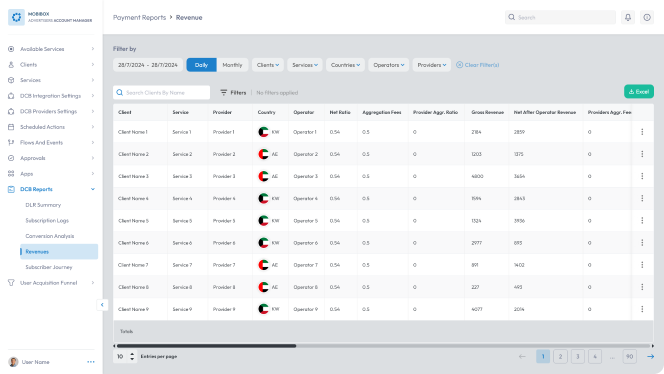
See exactly how revenue from your services is distributed.
This table offers a clear breakdown of revenue allocation
between you and different entities, helping you optimize
your revenue streams.
Get a complete picture of your subscribers! Simply
enter an MSISDN to view a user's entire subscription
history across all your services. You can also filter
by service, operator, or date range.


Real-Time
Reporting:
Access up-to-the-
minute data to stay
informed about the
performance metrics.

Customizable
Dashboards:
Tailor dashboards
to focus on the
metrics that
matter.

User
Behavior Insights:
Understand how users interact
with services. Track new user
behavior & optimize experiences
to drive retention & growth.

Revenue
Performance Tracking:
Monitor payment revenue
performance and identify
key factors influencing
revenue trends.

Opt-Out
Behavior Analysis:
Gain insights into why
users opt-out and identify
opportunities to reduce
churn.

