Question mark icon inside a circle

Get

Assistance

Advanced Reporting & Analytics

Track. Analyze. Optimize. Measure Your Marketing Performance

Mobibox gives you detailed insights into every aspect of your campaigns. from real-time
performance tracking to comprehensive spending analysis, our tools provide all the information
you need to track, analyze, and optimize your campaigns with precision.

Get access to

Intuitive
Dashboard

See tracking, revenue, and
profit numbers in real-time for
data-driven, proactive
decision-making.

Granular
Analytics

Filter through an unlimited number
of data sources in one screen,
quickly moving from overviews to
granular drill downs, comparing
across time and apps.

Real-Time
Monitoring

We provide real-time
monitoring of campaign
performance.

Track Metrics Effortlessly

Deep Dive Into Your
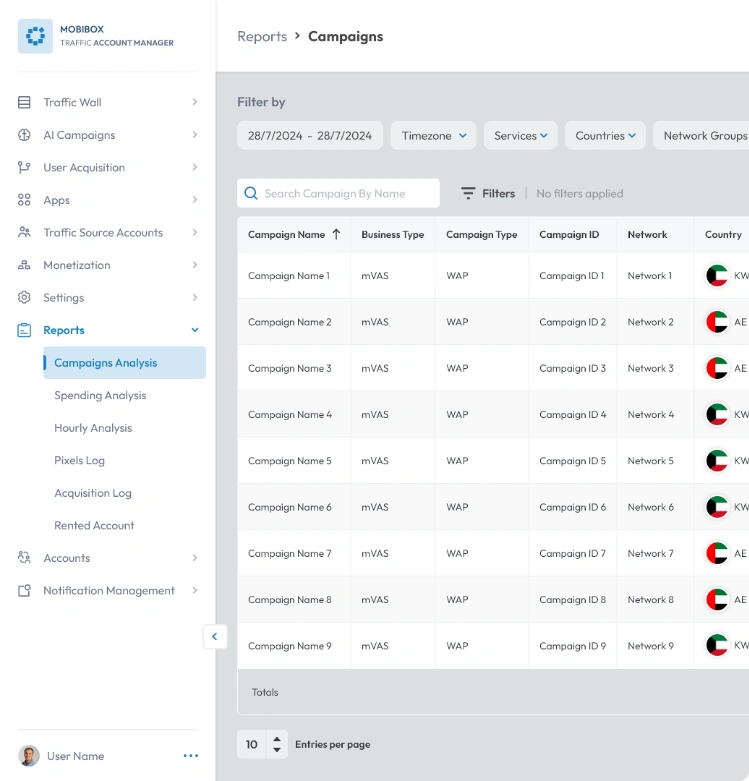
App/WAP Performance

Uncover what drives conversions: Analyze clicks,
conversions, and spending for your App/WAP campaigns. See traffic distribution by country to optimize your targeting.

Narrow your data by date, service, country, network, and more.

blue megaphone announcement icon

Campaign Name

HD video quality icon

Campaign ID

blue globe global network icon

Country

four-square grid menu icon

App Name

mobile phone device icon

OS (Android/iOS)

blue funnel filter icon

Network Conversions

blue dollar coin icon

Spending $

blue connected nodes network icon

Campaign Type

blue network nodes connection icon

Network

blue upload arrow inside webpage icon

Publisher Type

blue 3D cube box icon

Package Name

blue cursor arrow click icon

Clicks

blue location pin icon

CR% (Conversion Rate)

blue browser window interface icon

Date
campaigns analysis report dashboard showing campaign list, filters, and performance data

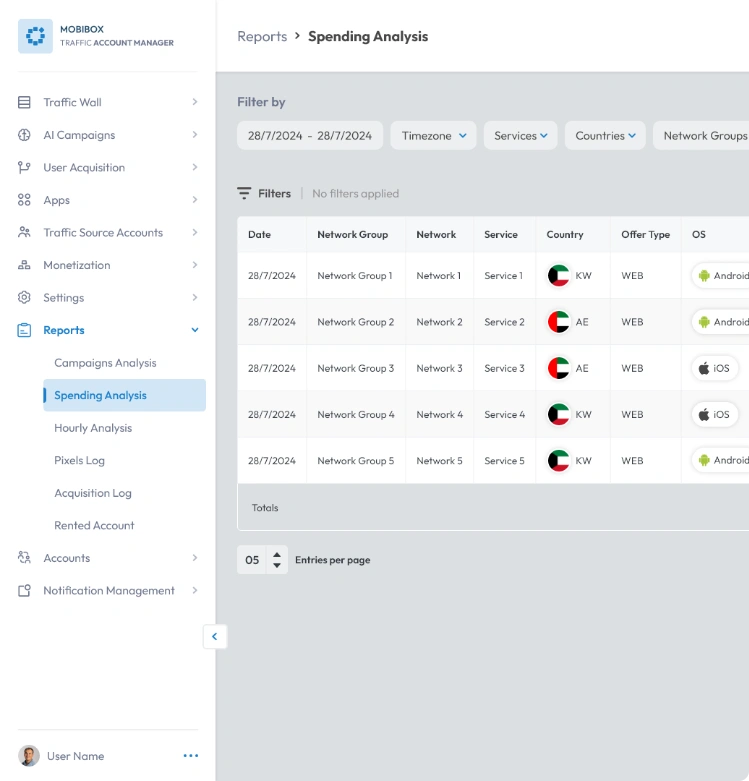
Track Every Spending & Measure ROI

See your advertising spend in one place, analyze and optimize campaign performance with a comprehensive overview of your advertising costs.

Filter data by date, service, network group, country, and ad type to pinpoint areas for improvement.

blue connected nodes technology icon

Network Group

blue gear settings with hand support icon

Service

blue 3d package box line icon

Package Name (If Applicable)

blue globe global network icon

Country

blue funnel filter icon

Network Conversions

blue dollar currency icon

Spending $

blue network connection icon

Network

four-square grid menu icon

App Name
(if applicable)

mobile phone outline icon

OS (Android/iOS)

blue discount offer tag icon

Offer Type

blue star rating icon

Rate

blue browser window interface icon

Date

spending analysis report dashboard showing network, service, country, and OS data

Get Real-Time Insights
On Campaign Performance

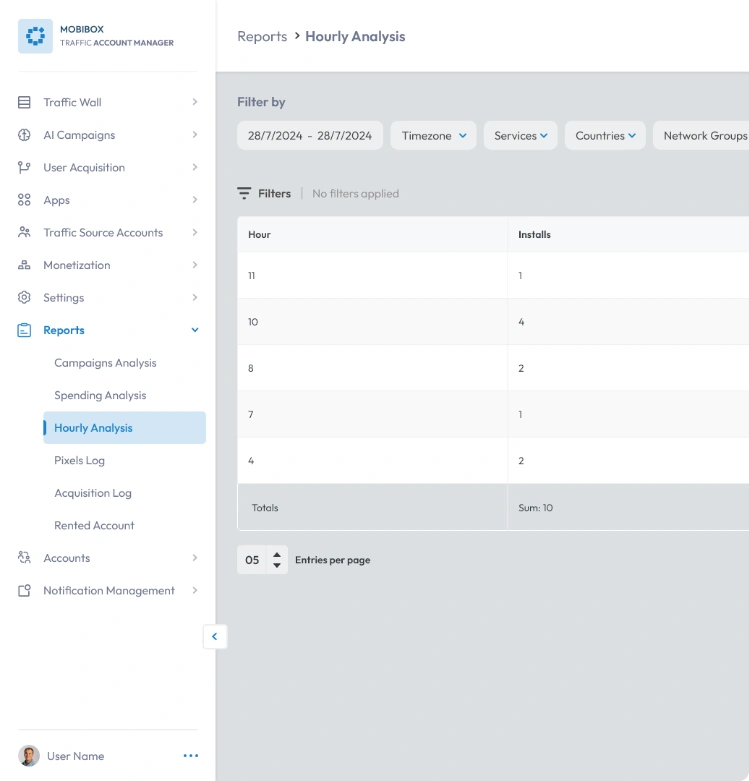
Track performance by the hour, gain valuable insights with an hourly breakdown of installs, network conversions, and conversion rates.

Identify high-performing and underperforming hours to optimize your campaigns for maximum impact.

blue clock time icon

Hour

blue funnel filter icon

Network Conversions

blue download arrow icon

Install

blue location pin icon

CR% (ConversionRate)

Hourly analysis report dashboard showing installs by hour

Find What Drives
User Acquisition

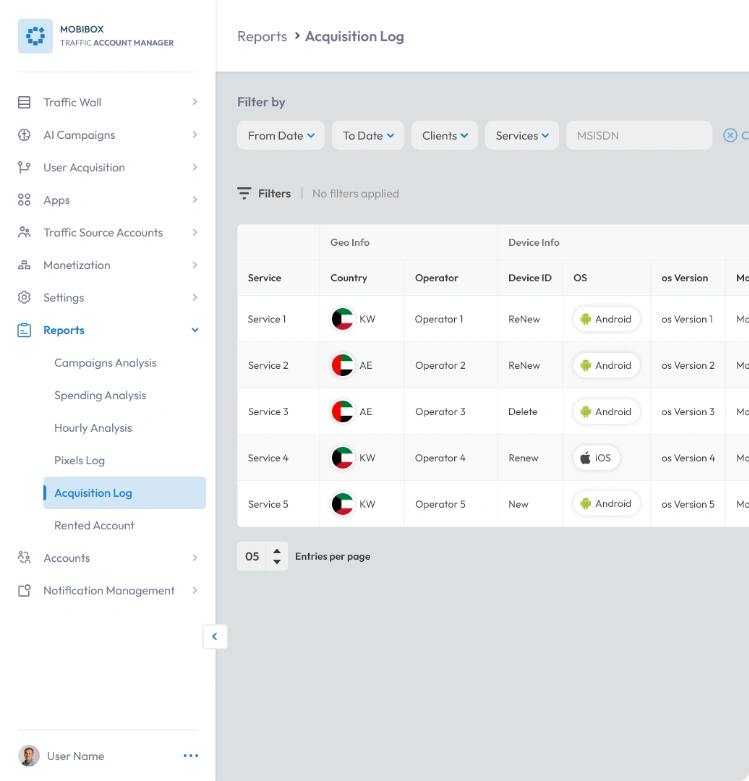
Search and retrieve specific user data: this powerful tool lets you search for detailed acquisition information based on a specific MSISDN.

Gain insights into user demographics, device details, and advertising data to understand how users acquire your services.

support settings gear icon

Service

blue customer support headset icon

Operator

blue gear with wrench settings icon

OS

mobile phone outline icon

Model

blue credit card payment icon

LP URL
(Landing Page URL)

HD video quality icon

ID Campaign

blue download arrow icon

Installation Date

blue globe global network icon

Country

blue notification bell icon

Device ID

mobile phone outline icon

OS Version

blue location pin with letter P icon

IP Address

blue connected nodes network icon

Network

pause control icon

Vertical

acquisition log report dashboard showing service, country, operator, device, and OS data

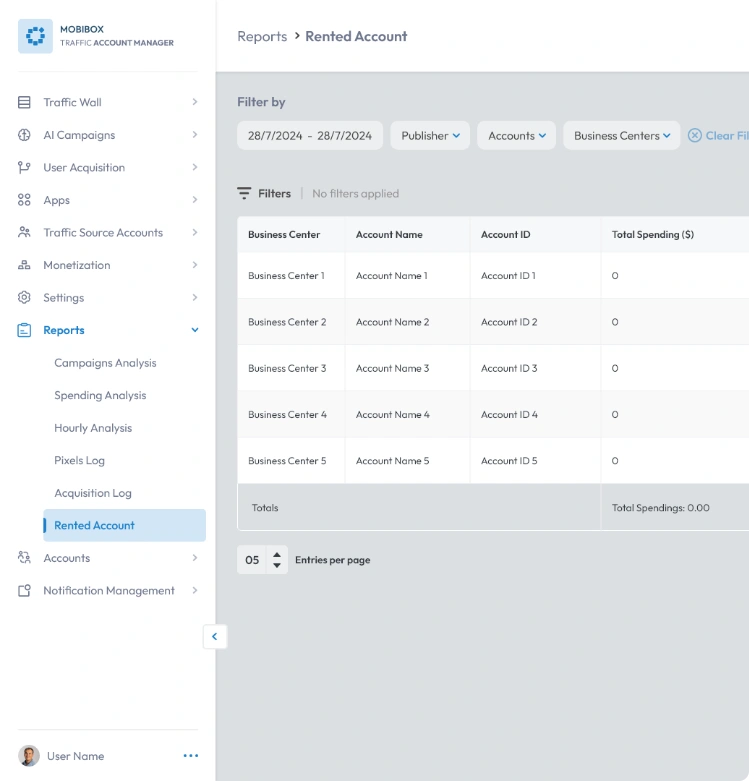
Monitor Your Google Ads, Meta & Tiktok Spend

Track key metrics for your rented accounts: Stay informed with a clear summary of your Google Ads, Meta, & TikTok account activity.

Quickly identify your total spending & spending percentage for each account within the reporting period. Track revenue generated by each account to evaluate their overall effectiveness.

blue user profile icon

Account Name

blue percentage symbol icon

Spending Percentage

blue browser window interface icon

Date

blue dollar currency icon

Total Spending (USD)

blue money bag icon

Revenue

rented account report dashboard showing business center, account ID, and total spending

Our Integrated Tools

Stay Informed With Reporting
And Analytics Power